Capture feedback with paper and online survey software

Create online surveys, feedback forms and questionnaires with our intuitive survey software.

You can also scan paper surveys and extract survey responses with TeleForm.

Speak to an expert

03300 100 000

Request callback

Understanding your challenges

Many businesses rely on manual, paper-intensive processes to collect feedback. Some common challenges with this approach include:

  • Time-consuming and labour intensive: Manually distributing and collecting surveys takes considerable time and effort. This often delays the collection of feedback and data analysis, slowing down customer response.
  • Low response rates: customers may be less likely to fill out and return a paper survey.
  • Prone to errors: Manual data entry from paper surveys can introduce human error. This includes misreading responses, typographical errors, and misplacing surveys, which can skew survey results.
  • Costs: The cost of third-party storage of paper surveys is prohibitive while internal archiving uses valuable floor space.
  • Demotivated employees: Staff may lack motivation due to the tedious and repetitive nature of manual data entry.
  • Delayed reporting: Processing paper-based surveys and manually collating results takes time, delaying the ability to take actionable steps.

Create surveys to capture feedback

Our online survey software includes forms automation, workflows, dashboards, reporting, audit trails, document management, integrations, role-based access controls, and more in a single platform.

Online form designer
  • Field types: Select from free text, dropdown, radio, checkbox, switcher, Likert scales, slider, date picker, tabs, switches, rating controls and many more to design flexible forms.
  • Conditional rules: Show/hide questions, lock fields, add skip logic, set mandatory/optional fields, randomise questions, and pre-populate fields, all based on conditional rules.
  • Data validation: Highlight invalid fields and automatically validate data on input and/or submission.
  • Branded templates: Create forms that match your brand guidelines. Easily add custom URLs, logos, colours and fonts.
  • Multi-lingual: Automatic translation of forms and user interfaces into your users’ local languages for global user adoption.
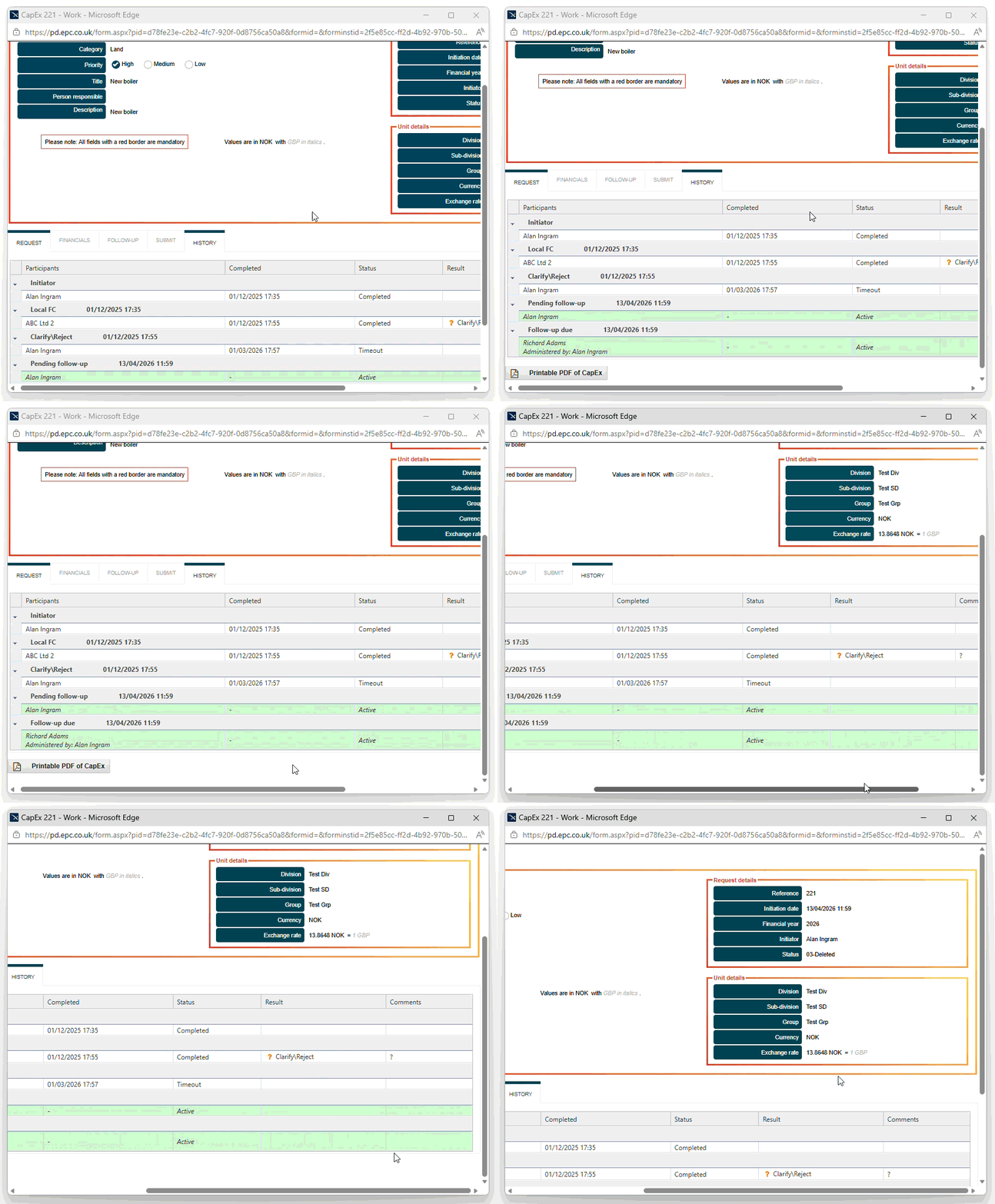
  • Currency conversion:Show amounts in the user’s local currency and your global currency.
  • Add attachments: Upload files in any format (xls, png, jpg, doc, etc.) to support the form submission.
  • Printable PDF: Generate printable PDFs of the submitted form, including attachments.
  • Save for later: Save a partially completed request as a draft and submit it later when further information is available.
  • Predicted authorisation path: Show the predicted approval step, based upon the draft form content, before submission.
  • Comment log: Add time-stamped comments to a request with Q&As and notes visible to executives later in the approval chain.
  • Low-code development: A low-code development environment enables both business and IT users to create and modify applications without coding knowledge.
  • Mobile forms: Electronic forms can be fully responsive and automatically resize to work on smartphones, tablets, and other mobile devices. To support offline use, an optional mobile app is also available.
  • Offline mobile data capture: Collect data when offline and route automatically when back online.
  • Collecting feedback: Gather survey responses seamlessly across multiple channels such as online, email, website (embed surveys), web link, and social media. You can also scan paper surveys with TeleForm.
  • Pre-built templates: Accelerate time to market with pre-built, editable templates for forms and workflows.
  • No restrictions: Reach more people with unlimited surveys/questions/responses.
  • WCAG compliant: WCAG compliance is primarily down to the design of your forms and the controls used, but surveys created in Process Director can meet the WCAG 2.2 AA requirements, allowing users to create accessible questionnaires.
  • Form locking: Prevent unauthorised edits or modification.
  • Anonymous survey links: Grant form access to unnamed users with support for authenticated (registered) and anonymous (non-registered) users.
  • Password protect forms: Restrict who can fill out forms with a password.
  • Task delegation: Delegate tasks to other users.
Automated workflows
  • Workflows: Build automated workflows to gather feedback and follow up with participants.
  • Notifications: Automatically alert users when they receive survey responses. Assign tasks with reminders/escalations based on inactivity and due dates.
  • Sentiment analysis: Analyse the sentiment expressed in survey responses and highlight feedback for follow-up.
Dashboards and reporting
  • Web workspaces: Personalised web workspaces enable users to initiate new surveys, view task lists, search archived forms, and export data.
  • Configurable dashboards: These web workspaces also serve as intuitive dashboards. Authorised users can configure and combine task lists, tabular data and chart/graph widgets to display real-time survey responses for analysis.
  • Custom reports: Apply filters, download pre-configured reports, or schedule them for automatic distribution to colleagues.
  • Export data: Export survey responses in various formats (CSV, XLS, PDF, SPSS, and more) for statistical analysis.
audit-trails
Security, integration and compliance

Our online survey software is trusted by regulated industries. It includes:

  • Full audit trails of all transactions and user activity
  • Role-based access control (RBAC)
  • Single Sign-On (SSO)
  • Multi-factor authentication (MFA)
  • Data encryption in transit and at rest
  • Centralised document management
  • Cloud-based hosting in a UK-based, ISO 27001-certified data centre or Microsoft Azure global infrastructure
  • 99.95% uptime commitment for cloud deployments
  • On-premises deployment
  • Support for direct integration, web services and REST/SOAP
  • G-Cloud and Digital Outcomes and Specialists approved
  • Cyber Essentials certified

Survey examples

Examples of paper and online surveys in different industries and sectors include:

Customer satisfaction

Measure customer satisfaction, identify unsatisfied and at-risk customers, reduce customer churn, and build a loyal customer base.

Employee surveys

Gather feedback on staff experiences in the workplace, measure job satisfaction, and discover valuable insights with employee surveys.

Market research

Gather data from your target audience by conducting market research surveys into your brand or product and understand consumer trends.

Education surveys

From course evaluation to mental health, the survey software allows academic institutions to collect student feedback to improve learning outcomes.

Human resources

From job satisfaction to staff wellbeing, collect feedback from your staff with an employee feedback survey.

Streamline HR processes like employee onboarding and performance appraisals.

Healthcare surveys

From patient consent and patient experience to prescriptions and employee engagement, healthcare providers and pharmacies can streamline data collection from patients and staff to improve care quality and increase patient satisfaction.

Clinical trials, contract research organisations (CRO), and biotechnology organisations can automate data collection during clinical trials with a data capture system.

Event feedback surveys

From charity events and conferences to training courses, collect event feedback and measure attendee satisfaction with a post-event survey.

IT surveys

From incident management to the IT service desk, the survey platform allows IT to evaluate support interactions and act on concerns faster.

Paper survey examples

Examples of paper questionnaires and surveys created with our TeleForm-based paper survey scanning software.

next-distribution-stadium-way-weekly-timesheet

Next Distribution

Stadium Way Indirect Weekly Worksheet

equine-college-student-evaluation-p1

Racing to School

Equine college student evaluation
monarch-recruitment-timesheet

Monarch Recruitment

Timesheet
parents-questionnaire-university-of-bristol

University of Bristol

Avon Longitudinal Study of Parents and Children (ALSPAC) Parents’ Questionnaire 2020
midland-management-services-ltd-timesheet

Midland Management Services (MMS)

MMS timesheet
teacher-evaluation-sheet

Racing to School

Teacher evaluation sheet
spd-volunteer-history-form

SPD Development Company

Volunteer History Form
plymouth-medical-emergencies

University of Plymouth

Validation of Clinical Competency
nhs-wales-medication-safety-monitoring

NHS Wales

All Wales Medication Safety Monitoring
chevon-texaco-power-observation-card

Chevron Texaco

Power observation card
plymouth-diagnosis-and-treatment

University of Plymouth

Diagnosis and Treatment Planning Assessment (DTPA)
western-sussex-hospital

Western Sussex Hospitals NHS Trust

Variations in Hospital Mortality Project
north-cumbria-hip-knee-replacement

North Cumbria University NHS Hospitals Trust

Advancing Quality Hip/Knee Replacement Record
kcl-sentimag

KCL

SentiMAG Multicentre Phase II Trial (Adjuvant Therapy Form)
badenoch-and-clark-timesheet

Badenoch and Clark

Timesheet
coventry-and-warwickshire-nhs-trust-ambulance-form

Coventry and Warwickshire NHS Trust

Ambulance form
lshtm-menafricar-ccf-form

London School of Hygiene and Tropical Medicine / MenAfricar

Community Characterization Form (CCF)
lshtm-formulaire-de-despistage-form

London School of Hygiene and Tropical Medicine / MenAfricar

Formulaire de Despistage
nhs-education-for-scotland-pre-registration-pharmacist-scheme-form

NHS Education for Scotland

Pre-registration pharmacist scheme form
skipton-building-society-credit-agreement

Skipton Building Society

Amber Credit – credit agreement
summerleaze-site-log-sheet

Summerleaze

Site log sheet
syriatel-shareholder-voting-ballot

SyriaTel

Shareholder voting ballot
ucl-ctg-surgery-form

Clinical Trials Group at UCL

Surgery form
university-college-birmingham-programme-review-questionnaire

University College Birmingham

Programme review – student questionnaire for further education programmes
university-of-wales-baseline-questionnaire

University of Wales

Baseline questionnaire
dudley-metropolitan-borough-council-questionnaire

Dudley Metropolitan Borough Council

Friends of Green Park questionnaire

    I wish I’d looked into it ten years ago! It was a big expense for a small charity, but it will save us money within 18 months. It’s something that’s been a great benefit to us and I would highly recommend it to any organisation.

    Ollie McPhail, Programme Manager, Racing to School

    Automation of the data capture process enables the L&D Department to concentrate on the analysis of consolidated feedback, impacting on the future delivery of learning interventions.

    Anthony Kiss, Learning Technology Officer, Oxford and Buckinghamshire Mental Health NHS Foundation Trust
    We have used TeleForm for over 10 years, mainly to design and process student satisfaction surveys. In the initial stages of looking for a system, our main aim was to find something user friendly and simple to use so that we could design our own questionnaires, rather than outsourcing. TeleForm met our requirements and we particularly liked the easy design facility and the ability to review unclear responses in the Verifier.
    Michelle Fawaz, University College Birmingham

    Overall, TeleForm has significantly reduced manual work, and it now takes 75% less time to analyse event feedback surveys.

    Ollie McPhail, Programme Manager, Racing to School

    We couldn’t do without it. It is the heart of what we do. The software was tried and tested at many other bases, so we knew it would save us time and money.

    Pete Goode, RAF Cosford

      Case studies

      Recent projects to capture data from paper and online surveys.

      racing-to-school-logo-small

      Racing to School reduced manual administration by 75% by automating the collection and processing of post-event surveys using TeleForm.

      university-of-bristol-alspac-co90s-logo

      The University of Bristol’s ‘Children of the 90s’ study uses TeleForm to capture data from paper-based questionnaires, helping researchers convert large volumes of handwritten and marked responses into usable digital data.

      oxford-health-nhs-foundation-trust

      Oxford Health NHS Foundation Trust uses TeleForm to collect training feedback from mental health practitioners, helping the organisation evaluate training effectiveness and identify opportunities for improvement.

      raf-logo

      The Royal Air Force implemented TeleForm to collect, measure and evaluate training effectiveness across RAF Cosford, RAF Cranwell and RAF Halton, providing a consistent approach to training evaluation.

      Related products

      ePartner Consulting combines decades of technical expertise with the best technology solutions to meet your business needs and provide robust solutions.

      opentext-logo-bg

      TeleForm automatically captures and indexes data and images from any form type, using handprint (ICR), machine print (OCR) and checkbox (OMR) recognition technology, ready for export to a database.

      bp-logix-bg

      BP Logix Process Director is an AI-powered, no-code automation platform for mission-critical processes.

      electric-paper-bg

      eForm Suite by Electric Paper extends your TeleForm software with the ability to create fillable PDF forms and HTML forms (eForms) and process them with your paper documents.

        Book demo

        From NPS and market research to education and events, capture feedback from forms and questionnaires with our survey software.

        Call 03300 100 000 or complete our form to discuss your requirements.

          We will not share your details outside of our organisation and will only contact you to discuss your enquiry. Read our privacy policy.