
Forms automation

Process Director provides several ways of building user-friendly electronic forms, with the results appearing the same to end users.

These include an online form designer (OFD) for easy drag-and-drop creation and the Microsoft Visual Studio-based builder, aimed at .Net developers who require advanced technical features.

Speak to an expert

03300 100 000

Request callback

Build engaging electronic forms to collect data

Replace paper forms and spreadsheets with intuitive electronic forms to capture data and route it for review and approval.

rentokil-m&a-form
eforms-field-types
Field types

Select from free text, dropdown, radio, checkbox, switcher, Likert scales, slider, date picker, tabs, switches, rating controls and many more to design flexible forms.

eforms-conditional-fields
Conditional rules

Show/hide questions, lock fields, add skip logic, set mandatory/optional fields, randomise questions, and pre-populate fields, all based on conditional rules.

eforms-warnings
Data validation

Highlight invalid fields and automatically validate data on input and/or submission.

eforms-branded-templates
Branded templates

Create forms that match your brand guidelines. Easily add custom URLs, logos, colours and fonts.

eforms-multi-lingual
Multi-lingual

Automatic translation of forms and user interfaces into your users’ local languages for global user adoption.

eforms-exchange-rates
Currency conversion

Show amounts in the user’s local currency and your global currency.

eforms-add-attachments
Add attachments

Upload files in any format (xls, png, jpg, doc) to support the form submission.

eforms-printable-pdf
Printable PDF

Generate printable PDFs of the submitted form, including attachments.

eforms-save-for-later
Save for later

Save a partially completed request as a draft and submit it later when further information is available.

eforms-form-locking
Form locking

Lock forms when undergoing critical updates to prevent multiple users from making conflicting changes.

eforms-predicted-approvers
Predicted authorisation path

Show the predicted approval step, based on the draft form content, before submission.

eforms-comments-log
Comment log

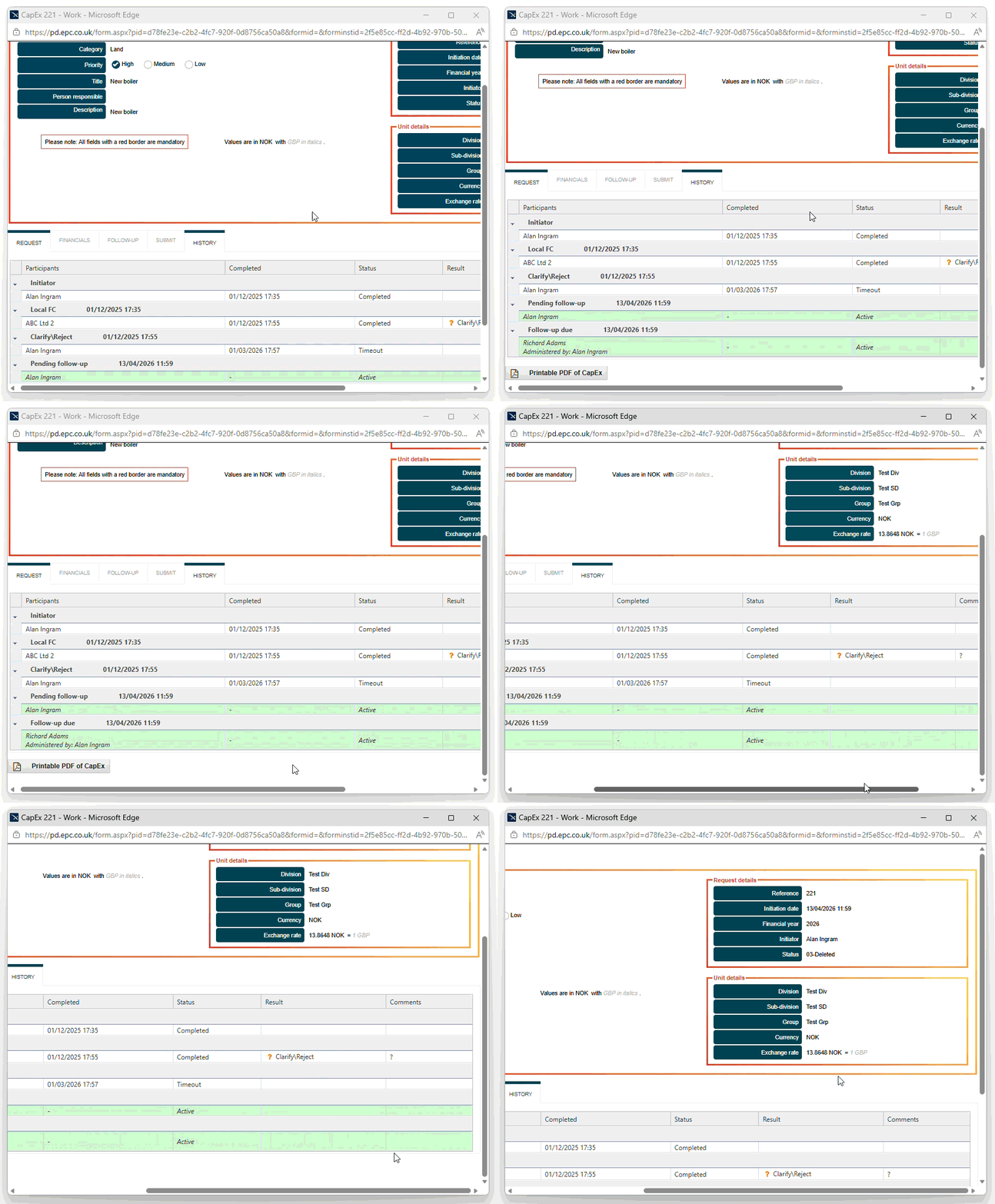
Add time-stamped comments to a request with Q&As and notes visible to executives later in the approval chain.
audit-trails
Security, integration and compliance

Regulated industries trust Process Director to automate critical business processes.

  • Full audit trail of all transactions and user activity
  • Role-based access control (RBAC)
  • Single Sign-On (SSO)
  • Multi-factor authentication (MFA)
  • Data encryption in transit and at rest
  • Centralised document management
  • Cloud-based hosting in a UK-based, ISO 27001-certified data centre or Microsoft Azure global infrastructure
  • 99.95% uptime commitment for cloud deployments
  • On-premises deployment
  • Support for direct integration, web services and REST/SOAP
  • G-Cloud and Digital Outcomes and Specialists approved
  • Cyber Essentials certified

Additional features

Low-code development

Process Director’s low-code development environment enables both business and IT users to create and modify applications without coding knowledge.

Mobile forms

Electronic forms can be fully responsive and automatically resize to work on any device.

Notifications

Alert users when tasks are assigned to them and notify, escalate, and reassign the task if timely action is not taken.

Offline data capture

A mobile app enables forms to be completed while offline, with automatic synchronisation once connectivity is established.

WCAG compliance

WCAG compliance is primarily down to the design of your forms and the controls used, but forms can meet the WCAG 2.2 AA requirements, allowing users to create accessible questionnaires and comply with UK legislation.

Powerful API and SDK

For ultimate power, create electronic forms and tasks within Visual Studio using the .NET-based SDK or integrate with external systems via web services.

Process Director Mobile App

Process Director is a low code/no code platform that enables users to develop their own applications.

The BP Logix mobile application enables forms that are created in Process Director to be completed on a mobile device. Forms may be completed while offline and are synchronized automatically with Process Director after establishing connectivity.


  
bplogix-mobile-app
bplogix-mobile-app-2
We love the simplicity of the system. The actual form has not changed much. You now complete it online. It still captures all the same information. Crucially, the quality of submitted requests has improved as certain fields are auto-filled, calculated automatically or contain rules such as a mandatory field or display a warning if certain conditions are not met. We’ve made the process tighter and more consistent
Nick Taylor, Finance Director, Millennium Hotels and Resorts

    Case studies

    rentokil-initial-logo

    Rentokil Initial automated its CapEx approval processes across Europe, Asia, Latin America and the USA, providing greater centralised control, standardisation, financial transparency and compliance.

    millennium-hotels-and-resorts-logo

    Millennium Hotels and Resorts automated its CapEx approval process, involving up to 28 approval steps across its international portfolio of 100+ hotels.

    initial-logo

    Initial uses Process Director to give local procurement teams greater visibility of direct and indirect cost-saving opportunities generated through central procurement.

    Book demo

    BP Logix Process Director is a low-code BPMS platform, driven by point-and-click configuration, not complex programming efforts.

    Book a free demo today and discover how you can build and automate any process imaginable with Process Director.

      We will not share your details outside of our organisation and will only contact you to discuss your enquiry. Read our privacy policy.